 how-to
Why Is My Garage Door Opener Sensor Blocked? Fix It Now
Table of Contents
- What You'll Need Before You Start
- Common Causes of a Blocked Garage Door Sensor
- How to Clean Garage Door Sensors Safely
- Garage Door Sensor Alignment: A Step-by-Step Fix
- Diagnosing Wiring, Power, and LED Blink Codes
- How to Prevent Garage Door From Freezing to Concrete in Winter
- When to Call a Professional for Sensor Repairs
- Frequently Asked Questions
Last Updated: September 19, 2026
What You'll Need Before You Start
If you are wondering why is my garage door opener sensor blocked, the cause is usually dirt, a shifted bracket, or a low-voltage wiring problem you can spot in minutes. If you are asking why is my garage door opener sensor blocked, the answer comes down to one of four things: debris in the beam path, misalignment, damaged wiring, or interference from sunlight.
Common Causes of a Blocked Garage Door Sensor
A blocked sensor means the infrared beam between the two units is broken, something is in the way, or the beam is not reaching the receiver. The sending sensor shoots an invisible infrared beam across the door opening; the receiving sensor catches it. If anything interrupts that beam, the opener refuses to close the door.
The usual suspects:
- Obstructions and debris sitting in the beam path
- Misalignment between the two units
- Wiring or power problems cutting the signal
- Sunlight or voltage drops interfering with the beam
Obstructions and Debris in the Sensor Path
Spider webs, leaves, and blown grass are the most common blockers, a single cobweb across the lens can break the beam. Walk the path between the sensors and check for cobwebs, leaves or grass clippings, a stored broom, hose, or bike wheel, or a sagging item on the track.
Sunlight Interference and Voltage Drops
Direct sunlight hitting the receiving sensor can blind it, most often in the late afternoon when the sun lines up with the door. The receiver cannot tell the difference between the opener's infrared beam and bright sunlight, so the door reverses for no clear reason.
How to Clean Garage Door Sensors Safely
Cleaning garage door sensors is a two-minute job with a microfiber cloth and a dry paintbrush. Power down the opener first, then wipe each lens.
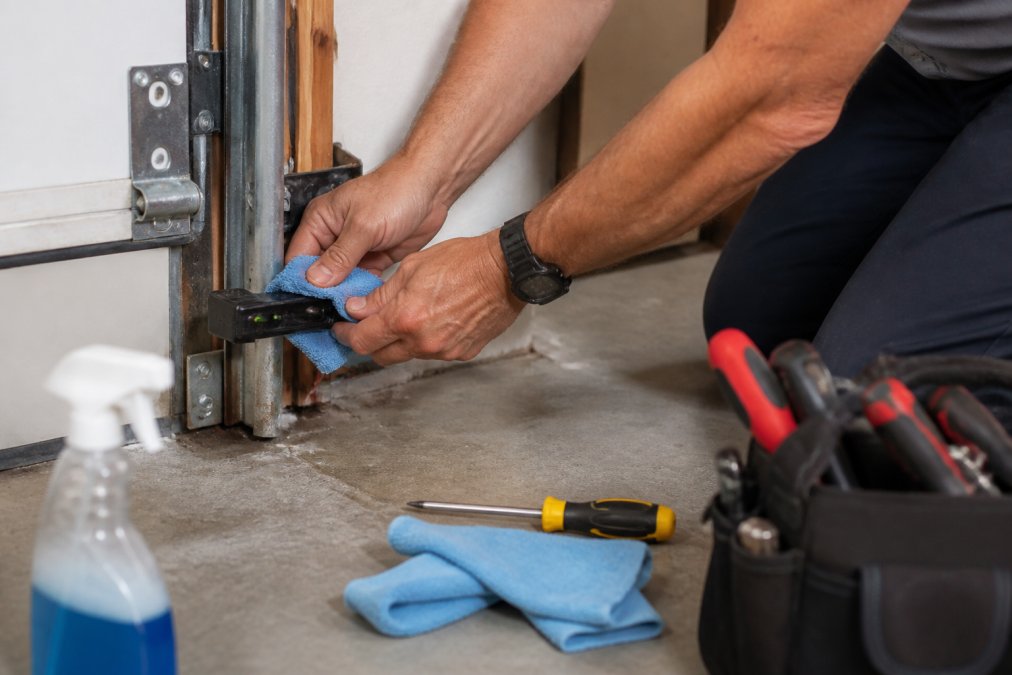
Follow these steps:
- Unplug the opener or flip its wall switch off.
- Wipe each lens with a dry microfiber cloth.
- Brush cobwebs off the sensor housing and mounting bracket.
- Clear debris from the floor between the units.
- Restore power and test the door.
Garage Door Sensor Alignment: A Step-by-Step Fix
Garage door sensor alignment is the fix when cleaning does not work. A bump from a bike or car can shift one unit by a fraction of an inch, enough to break the beam. Both sensors should point straight at each other at the same height. Here is how to check and correct it:
- Loosen the wing nut or screw on the alignment bracket.
- Aim the sending sensor at the receiving sensor.
- Tighten the bracket once the LED indicator shows a steady signal.
- Repeat on the other unit if needed.
- Run the door up and down three times to confirm.
Testing Alignment with a String Line
A string line gives you a straight reference when your eyes cannot tell. Run a string tight between the two mounting brackets; both sensors should sit at the same point along that line. If one hangs lower or higher, adjust its bracket until they match.
Diagnosing Wiring, Power, and LED Blink Codes
Wiring and power problems show up as flickering or dead lights. The LED indicator on each sensor tells you which side has the fault, but the blink count and color are what separate a dirty lens from a failed logic board. Before you read codes, check the wiring harness running from the sensors to the motor head. Look for:
- Loose terminal screws
- Chewed or cracked insulation
- Pinched wires along the track
- Corroded connections at the terminals
- Staples driven through the low-voltage wire during a remodel
A voltage drop along a long or damaged run can dim the sending sensor. Tighten every terminal screw and inspect the full length of the wire. Low-voltage sensor wire typically runs on 6 to 12 volts DC, so a partially severed conductor will still show continuity on a basic tester while failing under load. Wiggle the wire at each end while watching the LED.
Reading Solid vs. Flickering LED Lights
A solid light means the sensor has power and sees the beam. A flickering or dark light points to the problem side.
Use this quick guide:
| LED State | What It Means | First Fix |
|---|---|---|
| Both solid | Beam is clear and aligned | Check the opener logic board |
| One flickering | Weak or interrupted signal | Clean and realign that unit |
| One dark | No power to that sensor | Check wiring and terminals |
| Both dark | Power or wiring fault | Inspect the low-voltage circuit |
| Amber sending, no green receiving | Beam not reaching receiver | Realign or replace receiver |
Manufacturer Blink Code Reference
Blink codes vary by brand, and the count is the diagnostic. The patterns below reflect the most common behavior on residential openers. Confirm against your model's owner manual, because a firmware revision can change the sequence.
Chamberlain and LiftMaster (Security+ 2.0 and MyQ models)
- Sending sensor: steady green when powered and aligned.
- Receiving sensor: steady amber when it sees the beam.
- Receiving sensor blinks amber 1 to 5 times, pauses, repeats: the opener is reporting a sensor fault. The count narrows the cause, 1 to 2 blinks usually points to misalignment or a blocked beam, 3 to 5 blinks more often indicates a wiring or sensor failure.
- Both sensors dark, wall control dead: check the transformer and the low-voltage terminals at the motor head.
Genie (Series II and III openers)
- Both sensors use a green LED. Steady green on both means the beam is clear.
- One green LED blinking: that sensor is not receiving a clean signal. Clean the lens, then realign.
- Both LEDs blinking or off: the safety reverse circuit has lost power. Inspect the wire run and the terminal block on the power head.
Craftsman (older chain-drive models)
- Sending sensor: green. Receiving sensor: red or amber.
- Red receiving LED blinking: obstruction or misalignment.
- No LED on either unit: verify the opener is receiving line power before chasing the sensor circuit.
Testing the Circuit With a Multimeter
If the LEDs give you an ambiguous answer, test the circuit directly. Set a multimeter to DC voltage in the 20V range and probe the two terminals on the receiving sensor while the opener is powered.
- A reading in the expected low-voltage range (commonly around 6V DC on many residential units) means power is reaching the sensor.
- A reading near zero means the fault is upstream, the wire, the terminals, or the transformer.
- A reading that jumps around while you wiggle the wire confirms an intermittent connection.
How to Prevent Garage Door From Freezing to Concrete in Winter
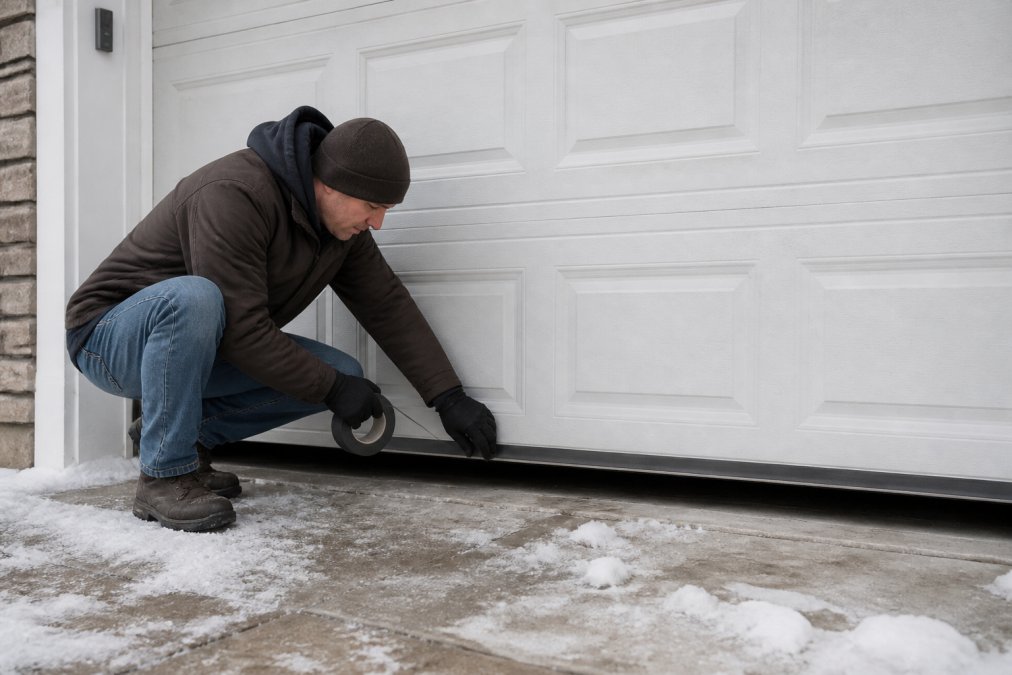
Learning how to prevent garage door from freezing to concrete in winter keeps your sensors and door working when temperatures drop. Snow piles against the bottom seal, and meltwater refreezes into a ridge that interrupts the beam.
Simple steps help:
- Clear snow and ice from the door base after every storm
- Keep the sensor lenses free of frost
- Check that the bottom seal is not trapping water
- Apply a de-icer to the concrete apron, not the sensors
When to Call a Professional for Sensor Repairs
Call a professional when the sensors still fail after cleaning, realignment, and a wiring check. But first rule out two things that look like a professional repair but are not: a sensor at the end of its service life, and a replacement that must match your opener's protocol.
Is It Blocked, or Is It Dead?
A blocked sensor and a failed sensor produce similar symptoms, the door reverses or refuses to close. The difference is what happens after you clear the path and realign.
Signs the sensor is blocked, not dead:
- The LED comes back steady after cleaning and realignment
- The door closes normally for a day or two, then fails again
- The failure tracks with weather, time of day, or debris
Signs the sensor has reached end-of-life:
- The LED stays dark after you confirm voltage at the terminals
- The lens is cloudy, cracked, or water-stained and will not clear
- The housing is brittle or the bracket mount has cracked
- The sensor works only when you press on the housing or wiggle the wire
- The unit is more than 10 to 15 years old and matches an opener that is no longer sold
Matching a Replacement Sensor to Your Opener
Safety sensors are not universal. A replacement must match the opener's signaling protocol, not just the mounting bracket.
- Chamberlain and LiftMaster openers built after roughly 2011 use Security+ 2.0 sensors. Older units use Security+ or a legacy fixed-code system. The sensors are not interchangeable across these generations.
- Genie uses its own Safe-T-Beam sensors, and the connector style changed between Series II and Series III.
- Craftsman sensors sold under the Craftsman brand were manufactured by Chamberlain, so a Chamberlain sensor of the matching generation often works, but confirm the model number before buying.
Photograph the label on the motor head and the connector on the old sensor before you shop. The connector shape and pin count are the fastest way to confirm compatibility at the store or online.
Signs It Is Time to Stop DIY Work
Some repairs are not worth the risk. Stop and call a pro when:
- Both sensors stay dark after a full wiring check and a confirmed voltage reading
- The opener reverses with no visible obstruction and no LED fault
- You find chewed or exposed wires you cannot safely repair
- The motor head or logic board shows fault codes
- The door is out of balance, binding, or moving unevenly
Garage doors use high-tension springs and live wiring, and working on the wrong part can cause injury. A pro can trace a short, test voltage, and replace a sensor or harness in one visit.
What a Professional Service Call Covers
A technician diagnosing a sensor fault will typically:
- Test line voltage and low-voltage output at the motor head
- Probe each sensor terminal with a multimeter
- Check the full wire run for pinches, staples, and corrosion
- Verify alignment with a laser or string line
- Confirm the opener's safety reverse function under load
- Replace the sensor, harness, or logic board as needed
Ask for the model number of any replacement part and confirm it matches your opener's protocol before the tech leaves. That one question prevents a repeat visit.
Frequently Asked Questions
How do I reset my garage door sensor?
Start by unplugging the garage door opener from the wall outlet for about 30 seconds, then plug it back in. This resets the logic board and clears temporary faults. If the LED lights on the sensors are still red or flickering, check for obstructions or misalignment before attempting another reset. Some openers also have a reset button on the motor head; press and hold it for six seconds until the lights blink. If the problem returns after resetting, the issue is likely wiring or a failing sensor that needs replacement.
Why is one of my garage door sensors red and the other green?
The green light marks the sending sensor, which emits the infrared beam. The red or amber light marks the receiving sensor, which detects that beam. When the receiving sensor shows red instead of its normal steady color, it means the beam is not reaching it. Common causes include misalignment, dirt on the lens, or a broken wire. If both lights are off, check the low-voltage wiring and power at the motor head terminal. A solid red light on the receiving unit almost always points to an alignment or obstruction issue.
Do garage door sensors ever go bad?
Yes. Photo-eye sensors can fail after years of exposure to moisture, temperature swings, and voltage spikes. Corrosion inside the sensor housing or a short circuit in the wiring harness will cause intermittent or permanent failure. If cleaning and alignment do not fix the problem and the LED indicator stays dark or flickers constantly, the sensor likely needs replacement.
Is there a way to override garage door sensors?
You can temporarily bypass a sensor by holding the wall control button continuously while the door closes, but this defeats a safety reversing sensor designed to prevent injury. Never leave a garage door operating without working sensors, especially if children or pets are nearby. If you need to get your car out, disengage the opener with the manual release cord and lift the door by hand. A permanent override is not a safe solution; the correct fix is to clean, align, or replace the faulty sensor.
Can sunlight cause garage door sensors to malfunction?
Direct sunlight can interfere with the receiving sensor because the sun emits infrared light that overwhelms the beam. This typically happens in late afternoon when the sun shines directly into one sensor. Symptoms include the door closing partway and then reversing for no apparent reason. A simple fix is to shade the receiving sensor with a small piece of cardboard or a manufacturer-approved sun shield. If the problem persists after shading, check for voltage drop or a failing sensor.
A blocked sensor is a safety system doing its job, and most fixes take less than ten minutes. When cleaning, realigning, and checking the wiring do not solve it, the problem is usually deeper in the circuit or the opener itself. American Eagle Garage Doors LLC provides expert repair and installation for residential and commercial doors, backed by free estimates and prompt, professional service. Get started with American Eagle Garage Doors LLC and get your door closing safely again.